I cannot see the text in the Command Line.
- Place the mouse cursor over the top of the command line per Diagram One below.
- Press and hold down the left mouse button.
- Drag the mouse up (or down) to adjust the size of the Command Line.
- Release the left mouse button.
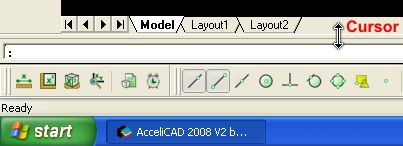
Diagram One: Command Line Collapsed
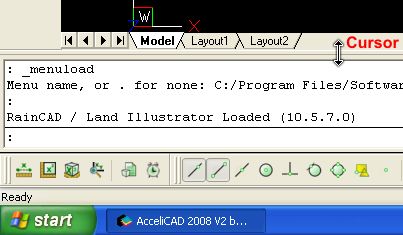
Diagram Two: Command Line Expanded
Back to All Topics