If you can see the RainCAD/EcoCAD title bar, place your mouse cursor over one of the corners. The cursor should change to arrows similar to the illustration below.
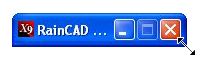
Press and hold down the left mouse button. Drag the corner of the dialog box to resize the toolbar and menus.