Wire Hop
Wire Hop
Wire Hop
Menu: |
Lighting
 Wire Hop Wire Hop |
Toolbar Icon: |

|
The Wire Hop command will draw
a "hop" or arc to indicate that one wire overlaps another wire.
When drawing wire, it is necessary to make it obvious that two separate
pieces of wire overlap each other versus intersecting each other. The
program will maintain wire hops while breaking wire at fixture symbols
or wire intersections during the voltage drop calculation process.
To draw a wire hop on the screen:
Enter the radius for the wire hop in the Radius
text box and click on the OK
button.
Select the piece of wire that will make the hop by
clicking on the wire one time with the left mouse button. The
wire hop arc symbol will slide along the selected by dragging the
mouse cursor.
Set a point for the center location of the intended
wire hop symbol.
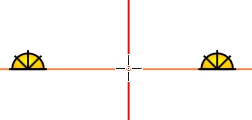
Click center location of intended wire hop arc.
Move the mouse cursor up, down, right or left. The
arc making the hop will "flip" on the screen based on the
cursor location.
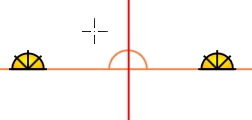
Move cursor to see the arc symbol.
Click one time with the left mouse button to complete
the process and place the wire hop on the screen.
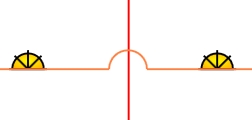
Click one time to complete the wire hop arc symbol.
Continue placing wire hop symbols on the design screen
as necessary.
Press the Esc
key to exit the command.
Back to All Topics