Vertical Dimension
Vertical Dimension
Vertical Dimension
Menu: |
Draw
 Vertical Dimension Vertical Dimension |
Toolbar Icon: |

|
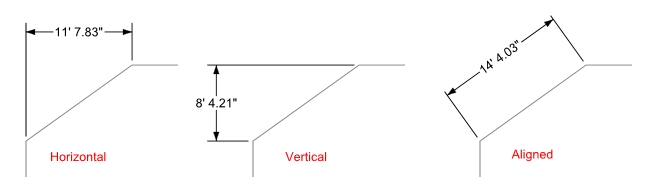
The Vertical Dimension command
will allow you to draw a dimension that aligns with the Y-axis of the
drawing screen.
To draw a vertical dimension:
Select the Vertical
Dimension command from the Draw
menu or click on the toolbar icon.
Click a point for the start of the distance to be
measured.
Click a second point for the end of the distance to
be measured.
- Drag the mouse to
the desired location for the dimension text and click a third point
to complete the command.
Notes:
Back to All Topics