Trim
Trim
Trim
|
Menu:
|
Edit  Trim Trim
|
|
Shortcut Keys:
|
|
|
Toolbar Icon:
|

|
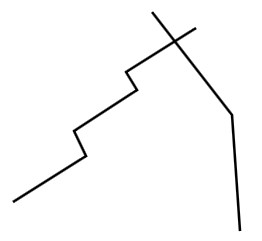
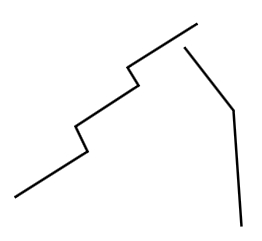
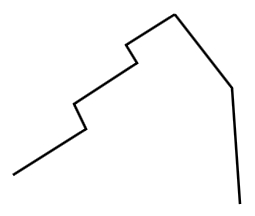
The Trim command will trim or "cutoff" two line segments at their intersection. The command will always remove the shortest line segments. The line segments must intersect each other or the command will not function. This command will not trim curve or arcs, only line segments.
|
|
|
|
|
Can trim - lines intersection each other
|
|
Cannot trim - lines do not intersect each other
|
To trim two lines at their intersection:
-
Click on the first line segment to trim.
-
Click on the second line segment to trim.
|
|
|
Shorter line segments trimmed at the intersection
|
Note:
Back to All Topics