Move to Front
Move to Front
Move to Front
|
Menu:
|
Edit  Draw Order Move to Front Draw Order Move to Front
|
|
Shortcut Keys:
|
Ctrl+PgUp
|
|
Toolbar Icon:
|
|
The Move to Front command will allow you to move the selected object in front or on top of other objects on the design screen. For example, this command is useful for moving sprinkler symbols on top of pipe.
-
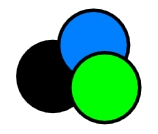
Select one or more objects on the design screen.
|
|
|
|
|
Original objects on the design screen.
|
|
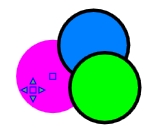
Select the object to move in front.
|
-
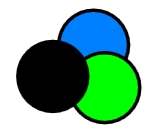
Enact the Edit > Draw Order > Move to Front command.
|
|
|
Objects after completion of the move.
|
Note:
Back to All Topics