Miscellaneous Symbols
Miscellaneous Symbols
Miscellaneous Symbols
|
Menu:
|
Draw  Miscellaneous Symbols Miscellaneous Symbols
|
The Miscellaneous Symbols command allows you to place a list of miscellaneous symbols such as furniture, stepping stones and more on the drawing screen. Use these symbols to dress up a drawing and make it more meaningful or attractive to the end customer or prospect. Each symbol is an individual drawing file that must be stored in the ...\Pro Contractor Studio\Misc Symbols\Miscellaneous folder on the computer.
Installation details may be placed on the design using this same command. Installation detail drawings are stored in the same ...\Pro Contractor Studio\Misc Symbols\ folder under the Irrigation Details or Landscape Details sub-folders.
To place miscellaneous symbols on the design screen:
-
Double click on a Category with the left mouse button or single click on the + sign to the left of the category name to view the symbols.
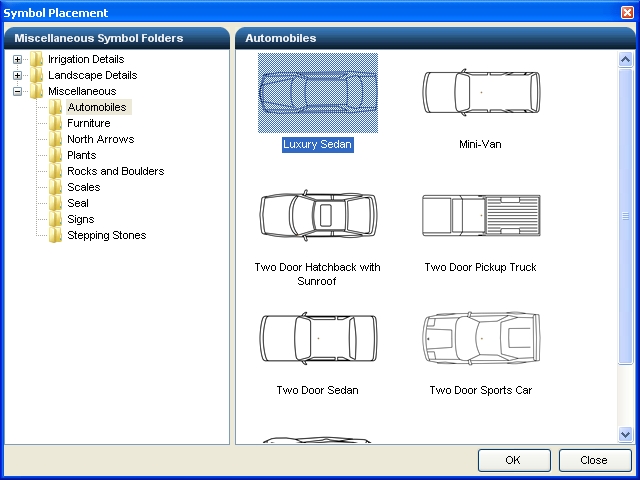
Automobile category with Luxury Sedan selected as the symbol to place.
-
Click one time with the left mouse button on a symbol and click on the OK button to begin placing the symbol on the drawing screen.
-
Set a point for the location of the symbol by clicking one time with the left mouse button.
-
Set a second point to rotate the symbol at the desired angle.
-
Click on the Close button to exit the dialog box.
Note:
-
It will be necessary to scale miscellaneous symbols depending on the output scale of the design. For example, automobile symbols may be fine at a 1" = 20' scale, but may need to be adjusted for other drawing scales.
Back to All Topics