Layers
Layers
Layers
When you draw in Pro Contractor Studio� you are drawing on layers. Think of a layer as an individual sheet of clear paper. Suppose you draw a house on one sheet of paper and the property line on another sheet. When you place the sheets on top of one another, you see the house with a property line around it. You may turn each layer on or off to display specific portions of the design.
Refer to the following illustration for an example.
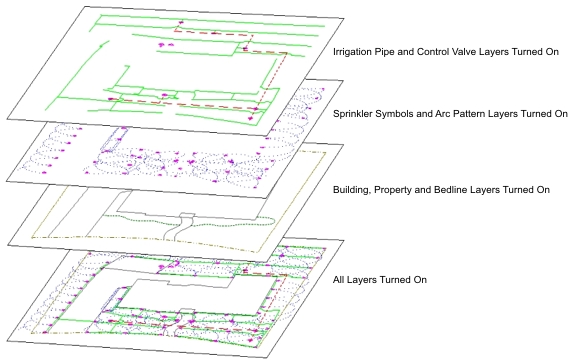
The software automatically assign entities such as sprinkler symbols, plant symbols, irrigation pipe and more to specific layers. You may create additional layers in the Layer Manager.
Note:
-
We recommend that you create multiple new layers to organize your design rather than drawing all entities on layer 0.
-
Layer names can be up to 255 characters in length including letters, numbers and spaces. Layer names cannot include the following characters: < > / \ � : ; ? * | = �
Back to All Topics