Filter Plant Material
Filter Plant Material
Filter Plant Material
|
Menu:
|
Landscape  Plants Plants
|
|
Toolbar Icon:
|

|
Plant material is broken out into multiple categories. Most categories contain hundreds of plant selections. Therefore, the choice of plant selections may become overwhelming. The plants are broken out into categories to begin filtering the selections. In some instances, you may want to limit the number of plant choices in each category to the plants you use on a regular basis to speed up the selection process.
To filter or limit the number of plants that appear in the list:
-
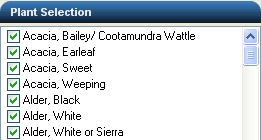
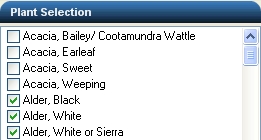
Under the Plant Selection title bar, there is a list of the plants available for the selected category. To the left of each plant, there is a checkbox. To remove a plant from the list, you must first click on the checkbox to remove the checkmark.
|
|
|
|
|
All plants checked
|
|
Acacias unchecked
|
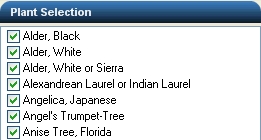
- To filter the plant selections, under the Plant Filter title bar choose Show Only Checked Plants from the Filter Type drop down menu. The list will regenerate and any plant without a checkmark will no longer be visible.
|
|
|
Show Only Checked Plants selected with the Acacias removed from the list
|
- To quickly show all of the plant selections again, choose Show All Plants from the Filter Type drop down menu. The list will regenerate displaying all of the plant choices whether they are checked or not.
|
|
|
Show All Plants selected with the Acacias visible in the list
|
Back to All Topics