Drainage Equipment
Drainage Equipment
Drainage Equipment
Menu: |
Drainage
 Drainage Equipment Drainage Equipment |
Toolbar Icon: |

|
The Drainage Equipment command
allows you to create a database and place symbols for drainage equipment
on the drawing screen. You may place as many drainage equipment symbols
on the drawing screen as necessary. The drainage equipment will be counted
in the material list or estimate/proposal.
To place a piece of drainage equipment on
the design:
Click on the Manufacturer
drop down menu and select the manufacturer of your choice. You
can add, delete or rename the
manufacturers.
The equipment selections associated with the chosen
manufacturer will be displayed under the Equipment
Selection header. Click on the desired equipment selection
one time with the left mouse button. You can add,
delete or rename the equipment.
Before a piece of equipment may be placed on the design,
a symbol must be assigned to represent the equipment. Click
on the drop down arrow to the right of the Symbol
label to view the available symbol choices. Click one time on
the symbol to assign to the selected piece of equipment.
To assign a to the symbol, click
on the Color button. Click
on the color of your choice or enter the Red, Green, and Blue values
in the associated text boxes. Click on the OK
button to accept the color assignment.
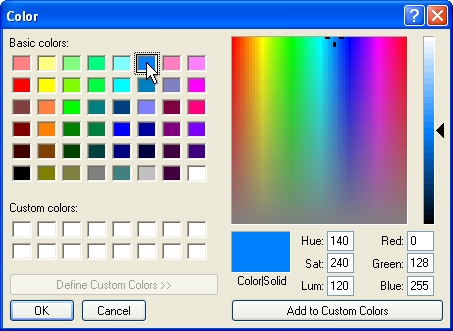
Select a color assignment and click on the OK button.
Click on the OK
button to begin placing the symbol on the drawing screen.
The symbol will appear on the mouse cursor. Drag
the symbol to the desired location on the drawing screen and click
one time with the left mouse button.
Rotate the
symbol to the desired angle and click a second time to complete the
placement process and return to the Drainage
Equipment dialog box.
Place additional symbols as necessary or click on
the Close button to exit the
dialog box.
Note:
Back to All Topics