Backflow Assemblies
Backflow Assemblies
Backflow Assemblies
|
Menu:
|
Irrigation  Backflow Assemblies Backflow Assemblies
|
|
Toolbar Icon:
|

|
The Backflow Assemblies command will allow you to place a backflow prevention assembly on the drawing screen. You may place as many backflow prevention assemblies on the drawing screen as necessary. The backflow prevention assembly(s) will be counted in the material takeoff.
To place a backflow prevention assembly on the design:
-
Click on the Manufacturer drop down menu and select the manufacturer of your choice.
-
The backflow assembly selections associated with the chosen manufacturer will be displayed under the Backflow Assembly Selection header. Click on the desired assembly selection one time with the left mouse button.
-
The flow and pressure loss associated with the selected backflow assembly will be displayed in a pop-up box. To hide the performance data, click on the Show Flow/Loss checkbox until the checkmark no longer appears in the box.
-
Before a backflow assembly may be placed on the design, a symbol must be assigned to represent the equipment. Click on the drop down arrow to the right of the Symbol label to view the available symbol choices. Click one time on the symbol to assign to the selected assembly.
-
To assign a to the symbol, click on the Color button. Click on the color of your choice or enter the Red, Green, and Blue values in the associated text boxes. Click on the OK button to accept the color assignment.
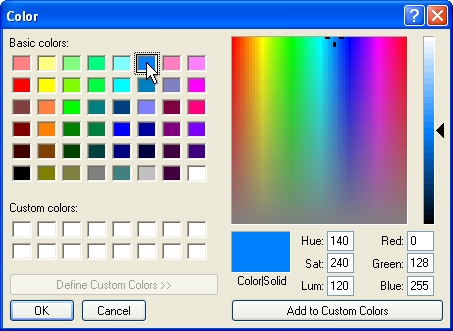
Select a color assignment and click on the OK button.
-
Click on the OK button to begin placing the symbol on the drawing screen.
-
The symbol will appear on the mouse cursor. Drag the symbol to the desired location on the drawing screen and click one time with the left mouse button.
-
Rotate the symbol to the desired angle and click a second time to complete the placement process and return to the Backflow Assemblies dialog box.
-
Place additional symbols as necessary or click on the Close button to exit the dialog box.
Note:
-
You may place a backflow assembly on the design before or after you draw the mainline pipe.
-
Set the cost associated with each piece of equipment, the part number and the tied assembly assignment in the Equipment Costs command.
-
Expand or contract sections as required.
Back to All Topics